THE METRIC STONE EXPERIENCE
A clearer view. A closer look.
Real interfaces. Real analytical output. Every example here comes from Metric Stone itself and uses synthetic, non-sensitive data.
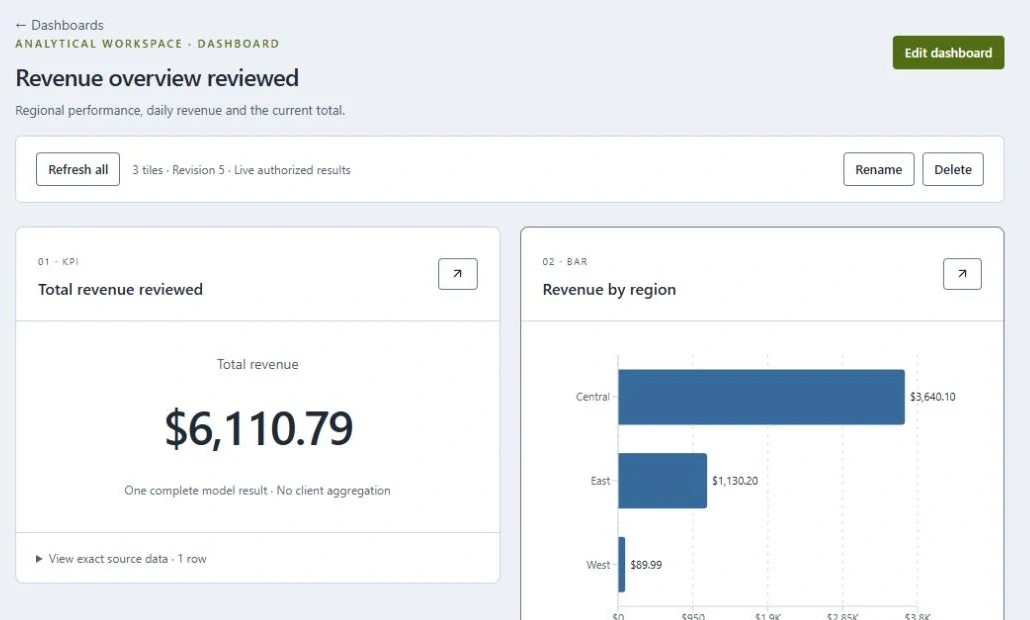
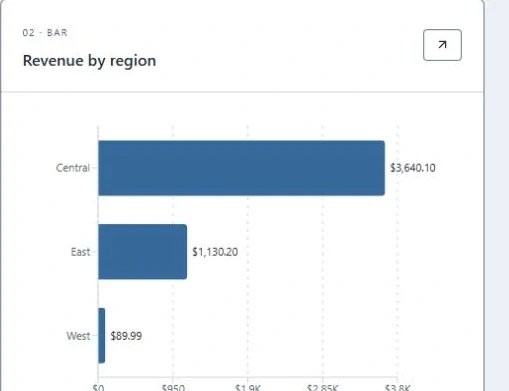
Revenue overview / A saved KPI and a regional bar chart bring different views of an analytical result together.
01 / FIND THE RIGHT VIEW
Let the question shape the chart.
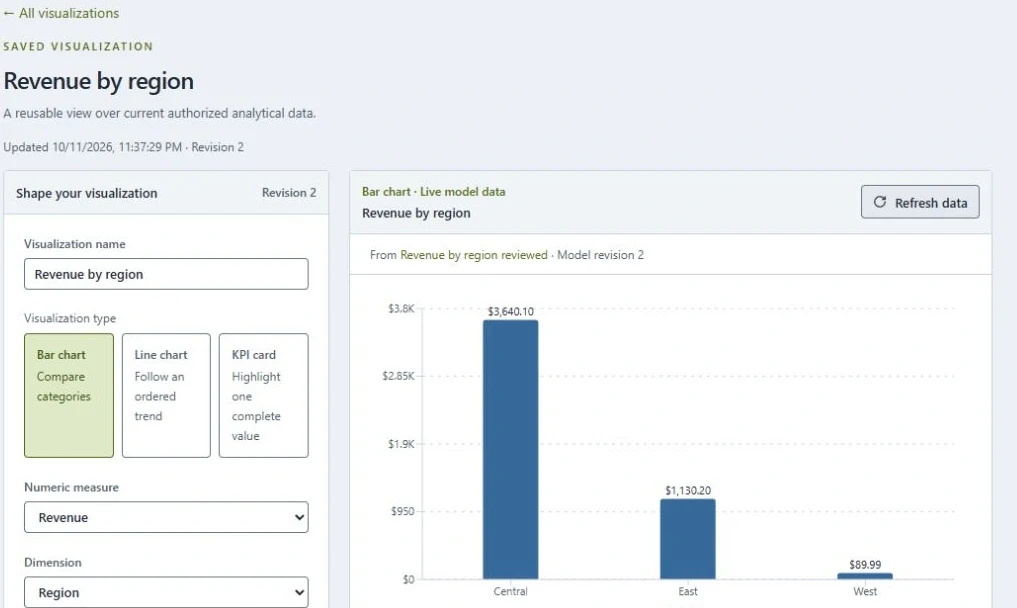
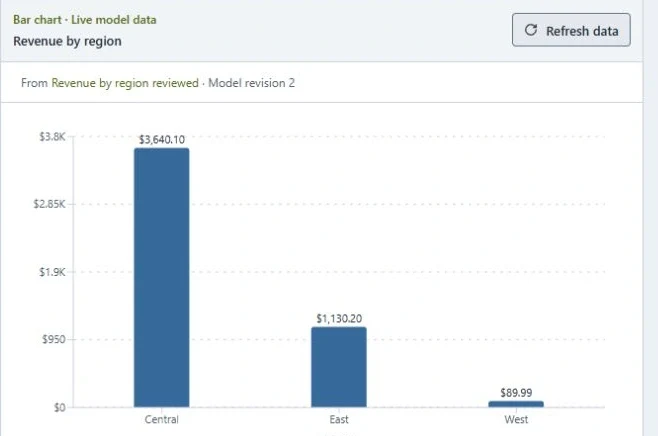
Compare with purpose.
A bar chart makes differences between regions legible. The author chooses the measure and dimension; the renderer does not invent aggregation.
Keep the data close.
The visual is connected to a saved, authorized analytical definition. Result limits and completeness remain part of interpreting the view.
02 / MAKE THE STEPS VISIBLE
A recipe you can follow.
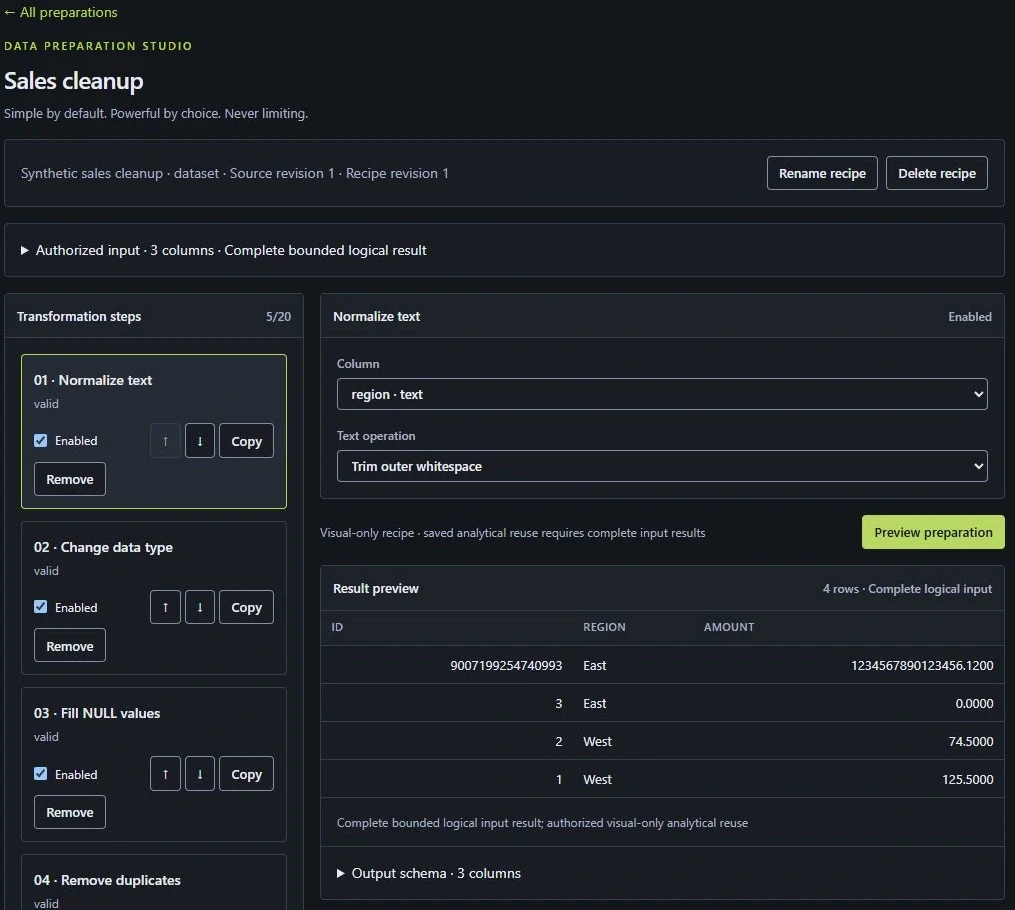
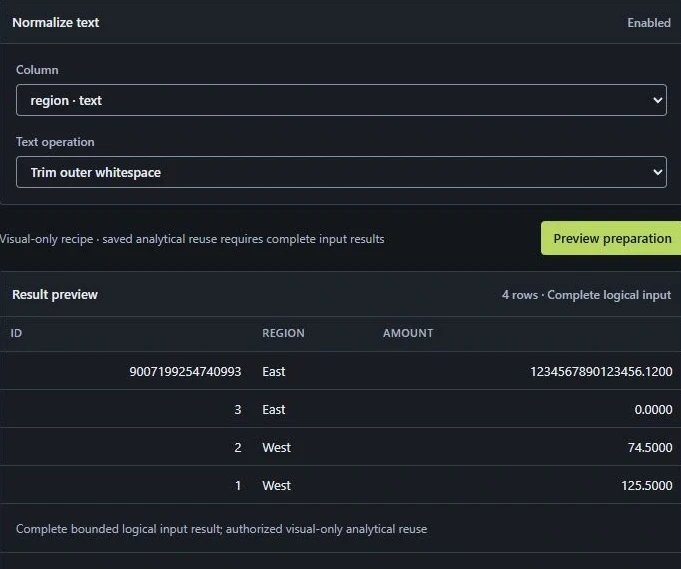
The ordered steps on the left show how the sales records are cleaned. The result table on the right makes it possible to inspect the outcome before saving the recipe.
This is the actual visual-only Sales cleanup workflow, not a rendering of a proposed feature.
03 / GO DEEPER WITH SQL
The query and its answer, in one place.
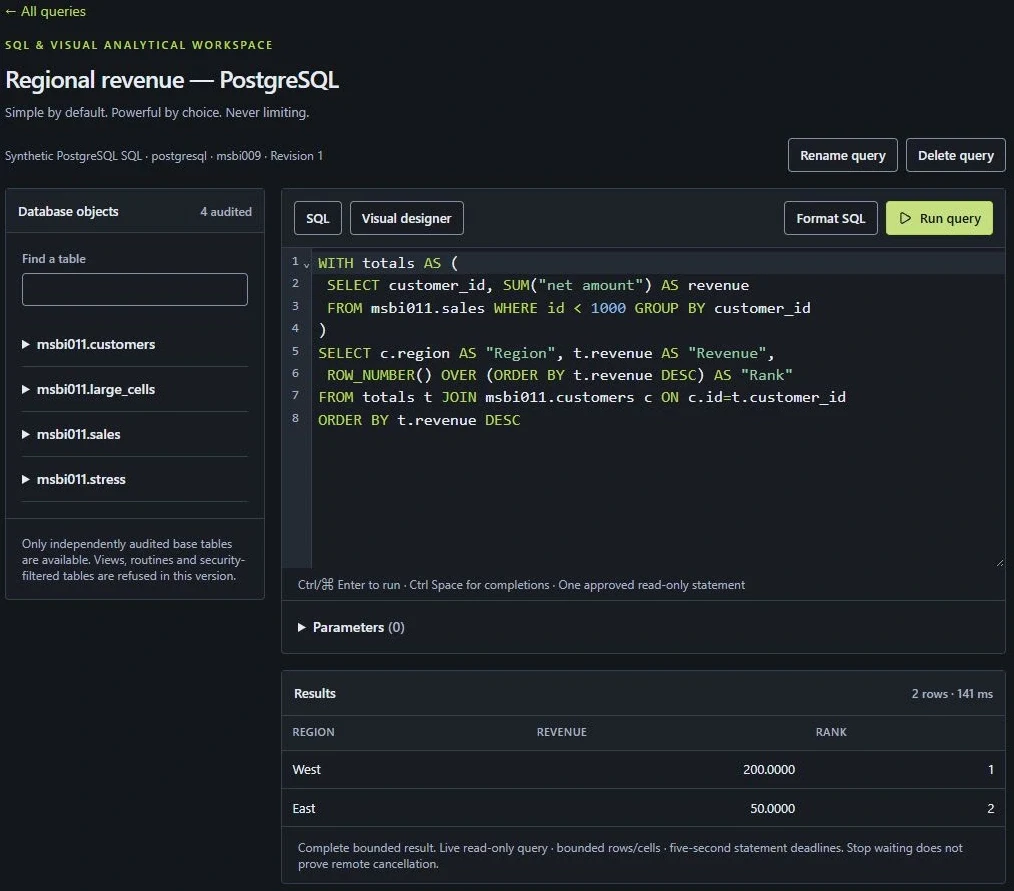
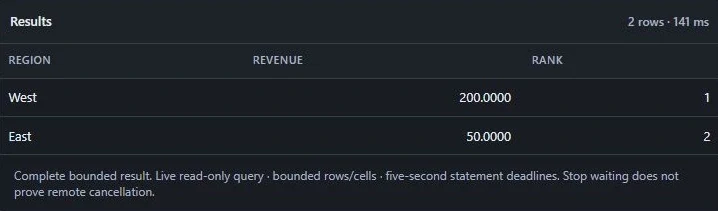
The workbench connects an explicit question to inspected objects and actual result rows. Queries are governed, read-only and bounded. This synthetic example does not establish production-provider certification.
04 / REFINE THE QUESTION
Change the view with context intact.
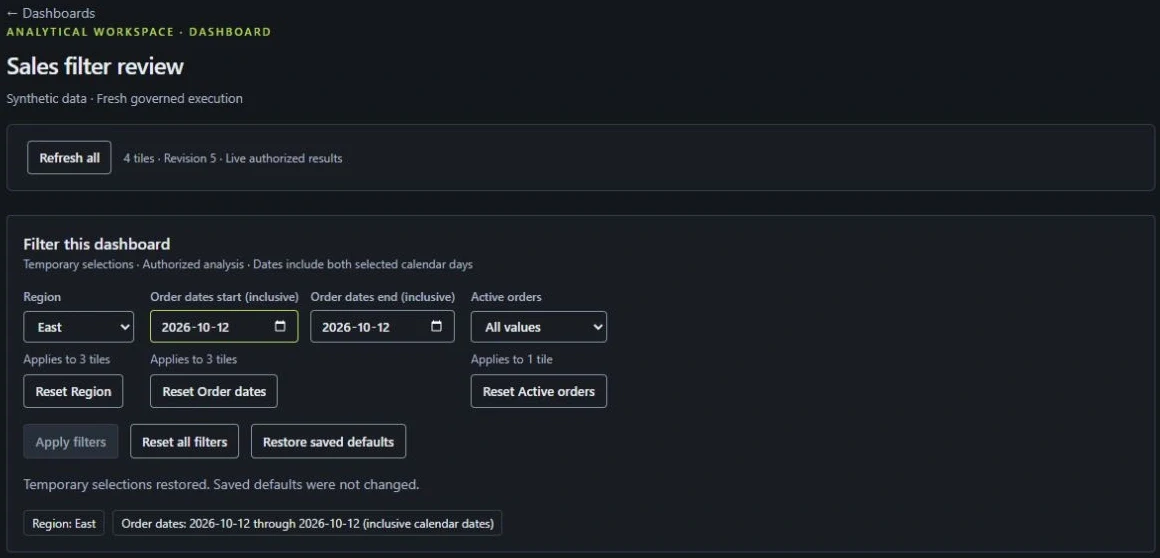
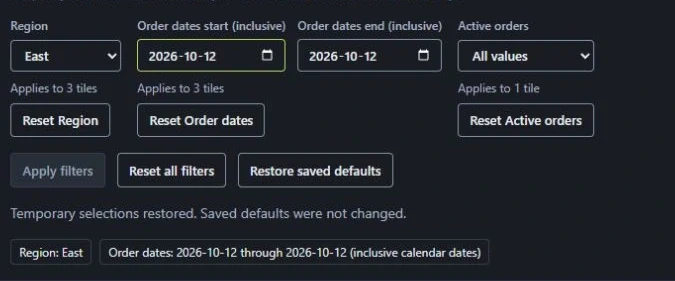
Choose a region and calendar dates, then apply eligible mapped filters. Temporary selections preserve saved defaults. This is dashboard filtering; chart-click cross-filtering and drill-down are future work.
PRODUCT IN DEVELOPMENT
Metric Stone BI is being developed by Index Forward. The interfaces shown use synthetic data. Commercial availability, hosted access and public downloads have not been announced.
A CLEARER PERSPECTIVE
Start with the question that matters.
Explore how your data, analytical questions and working practices could fit Metric Stone.